Slide 1 of 18
 Nanoscale · Module 15
LLMs for Patch Analysis
Teaching Deck
Human cortex · H01
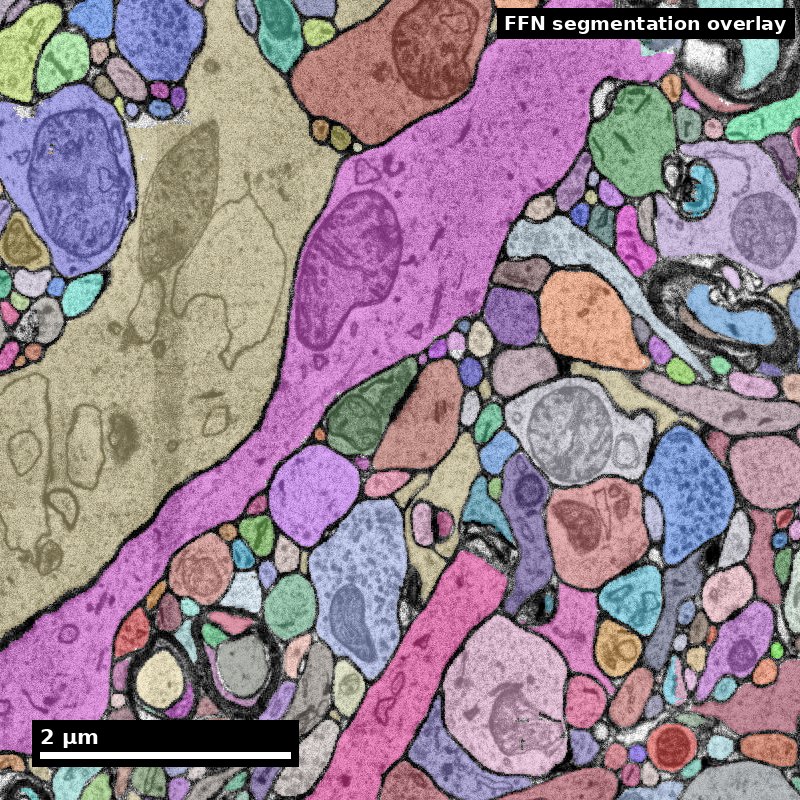
Object segmentation over electron microscopy
H01 release · Lichtman Lab / Harvard & Connectomics at Google · CC BY 4.0
Shapson-Coe et al. (2024) · doi:10.1126/science.adk4858
Slide 2 of 18
Learning Objectives
- Identify realistic LLM use cases in connectomics patch workflows
- Design prompt/evaluation loops with reliability checks
- Detect hallucination and unsupported inference risks
- Integrate LLM outputs into human-in-the-loop QC
Slide 3 of 18
Capability Target
Implement an LLM-assisted patch-analysis workflow with verification gates, confidence labeling, and explicit human override policies. Concretely: classify every output your workflow produces into named output classes, attach a verification method and a numeric acceptance threshold to each class before any output is used, measure whether the gate costs less than the task it replaces, and log model version, prompt, output, reviewer, and decision so a reader can reconstruct which claims a model touched.
Slide 4 of 18
Concept Focus
1) Assistive, not autonomous
- Technical: LLMs should support prioritization, summarization, code drafting, and protocol guidance.
- Plain language: use an LLM to help, not to decide alone.
- Misconception guardrail: fluent output means correct output.
Figure description and teaching notes
Further teaching detail from the module:
**Technical:** LLMs should support prioritization, summarization, code drafting, and protocol guidance. They should not perform final biological adjudication — whether this profile is a synapse, whether this is a merge error, which cell type this is. The dividing line is whether an error would enter a released data product without a human seeing it. If yes, the task is human-adjudicated regardless of how well the model performs in a pilot.
Slide 5 of 18
Core Workflow
- Enumerate the candidate LLM tasks in your project and sort them into named output classes.
- For each class, write the verification method and a numeric acceptance threshold that can fail, before generating any output.
- Estimate, then measure, the cost of the gate against the cost of doing the task directly; drop any class where the gate costs more.
Slide 6 of 18
Core Workflow (continued)
- Create prompt templates with an explicit output schema, and include the fields that gates depend on — for code, the version pin; for summaries, the citation list.
Slide 7 of 18
Core Workflow (continued)
- Define the human override policy and the interface rule that prevents anchoring: independent human call recorded before the suggestion is shown.
- Pilot on a small set — 20 to 50 items per class — and log every failure with its cause.
- Set the logging fields: model name and version, prompt, raw output, verification result, reviewer, decision, timestamp.
- Refine prompts and thresholds from the pilot, then state in your methods which output classes were LLM-assisted.
Slide 8 of 18
Run of Show (60 min)
- 00:00-08:00 scope boundaries and failure examples.
- 08:00-20:00 prompt template design, including the schema fields each gate depends on.
- 20:00-34:00 run sample outputs and score reliability against a known answer; record agreement counts rather than impressions.
- 34:00-46:00 define verification and override rules per output class, and estimate the cost of each gate.
Slide 9 of 18
Run of Show (60 min) (continued)
- 46:00-56:00 produce governance checklist and risk register, with one class explicitly marked as not yet usable.
- 56:00-60:00 competency check: each learner states one output class they would refuse to gate, and why.
Slide 10 of 18
Misconceptions to Watch
- Misconception guardrail: fluent output means correct output.
- Misconception guardrail: spot-checking is enough when the output looks unusual.
- Misconception guardrail: LLM assistance saves time on every task it can perform.
- Misconception guardrail: chat history is sufficient traceability.
Slide 11 of 18
Misconceptions to Watch (continued)
- Misconception guardrail: showing the model's answer first speeds annotators up without changing their judgment.
Slide 12 of 18
Studio Activity
Scenario: Build an LLM-assisted triage helper for proofreading queues. Reviewers can inspect about 500 segments per week; the current heuristic ranks candidates by segment size and produces roughly 40% true errors in the top 500. Your team wants to know whether an LLM-assisted ranker, drawing on segment statistics and free-text QC notes, should replace it. You have a labeled holdout of 300 segments and one expert available for four hours.
Slide 13 of 18
Activity Output Checklist
- Evidence-linked artifact submitted.
- At least one limitation or uncertainty stated.
- Revision point captured from feedback.
Slide 14 of 18
Assessment Rubric
- Minimum pass: clear task boundaries, verification logic with thresholds that can fail, and logging fields including model version and prompt.
- Strong performance: robust failure-mode handling, an actionable governance plan, a measured or defensibly estimated gate cost for each output class, and at least one class explicitly declared not yet usable.
- Failure modes: unbounded scope, no confidence policy, missing audit trail, thresholds written after seeing the outputs, and gates whose cost was never compared with the task they replace.
Slide 15 of 18
Exit Ticket
For one LLM output type, define: acceptance threshold, verification method, and human override trigger.
Slide 16 of 18
References (Instructor)
- LLM reliability and evaluation literature (task-specific).
- Internal patch-analysis workflow guidance.
Slide 17 of 18
Teaching Materials
- Module page: /modules/module15/
- Session kit: /teaching/sessions/module15/
- Worksheet: /assets/worksheets/module15/module15-activity.md
Slide 18 of 18
Read, review, or teach
The reading version includes figure descriptions and discussion guidance.
Nanoscale text: CC BY 4.0. Scientific figures retain their individual credits.